 FollowGrid
Instagram Followers to CSV for Excel & Google Sheets
Download follower data from a public Instagram profile as CSV, then bring it into Excel or Google Sheets. Follow the import tips below to keep account IDs intact and display names in the right columns.
Public Instagram profile URL



Need More Control Over Your Export?
Use FollowGrid to choose Followers or Following, set how many profiles to collect, and stop anytime without losing collected results.
Add to Chrome Add to Chrome
From Instagram Follower CSV to Spreadsheet
Create your file, import it with the right settings, and check the columns before you start working.

Create your follower CSV
Paste a public Instagram profile URL into the tool above, run the export, and review the returned accounts. Choose CSV to download the list for your spreadsheet.

Import into Excel or Google Sheets
In Excel, use the text/CSV import options to control column types. In Google Sheets, import the CSV into a spreadsheet. Check the separator and keep User ID values as text when choosing import settings.

Check the imported columns
Confirm that names and profile links appear in separate columns and that user IDs have not been rounded. Keep a copy of the original CSV, then save your working spreadsheet before adding notes or formatting.
What data is included
| Field | Description |
|---|---|
| Username | The public Instagram username of the returned follower. |
| Full name | The display name returned with the Instagram profile. |
| User ID | The Instagram account identifier returned for the follower. |
| Verified status | Whether the returned Instagram account is verified. |
| Private account | Whether the returned Instagram account is private. |
| Profile URL | A link to the returned follower’s Instagram profile. |
Make Your Follower CSV Easier to Use
A few import checks help keep the downloaded account data usable in your spreadsheet.
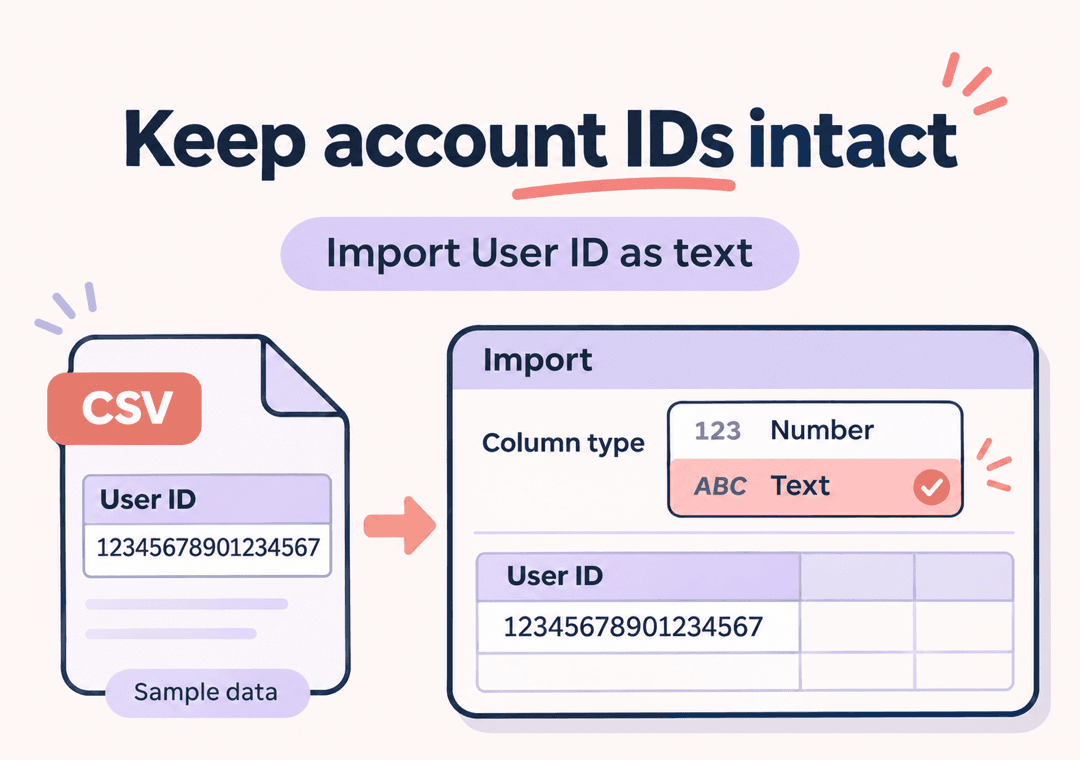
 Keep account IDs intact
Treat User ID as text during import. If your spreadsheet has already rounded an identifier, changing its display format will not restore the lost digits. Re-import from the original CSV with the correct column type.
- Import IDs as text
- Check for scientific notation
- Re-import if digits were changed

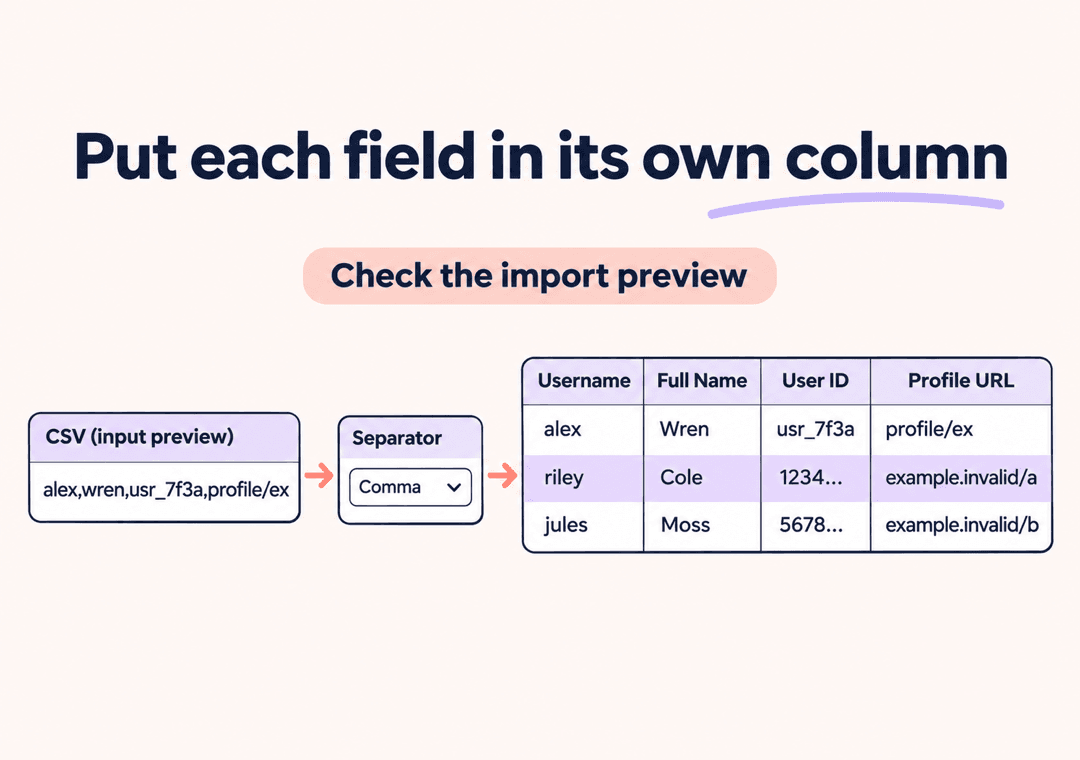
 Put each field in its own column
Use the CSV import preview to check where columns begin and end. If a row appears in one cell, select the matching delimiter and import it again before sorting or filtering.
- Check the import preview
- Confirm the separator
- Keep account rows together
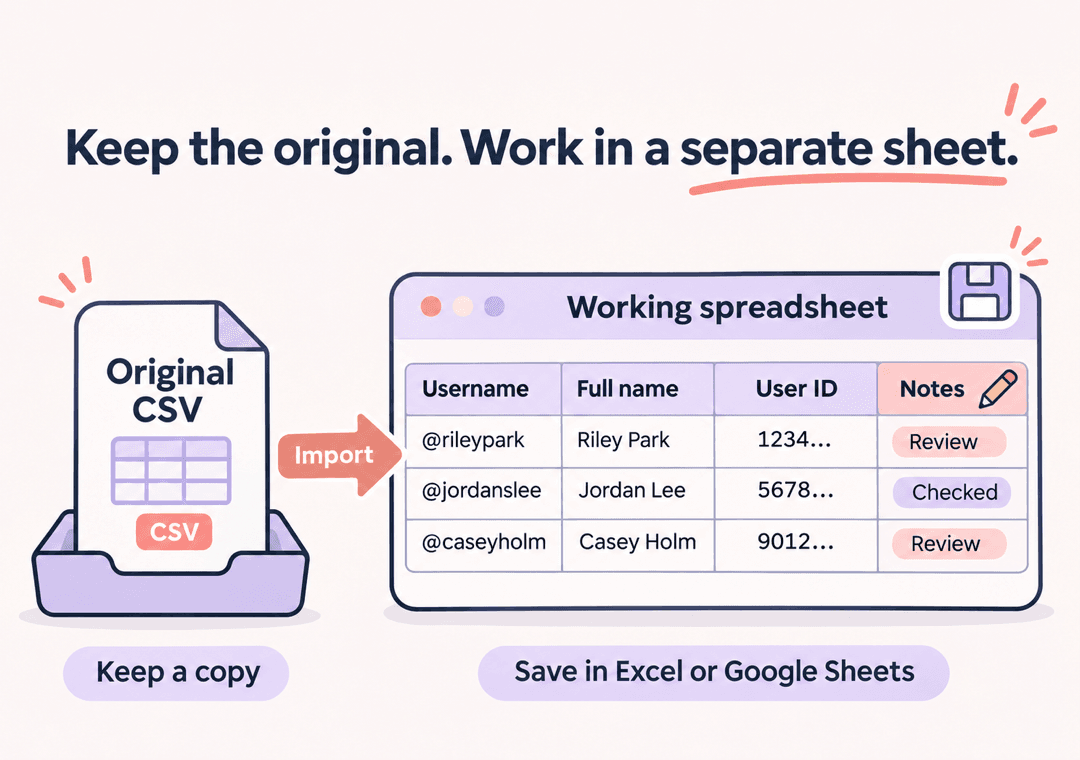
 Save notes in a working spreadsheet
After importing the file, save your work as an Excel workbook or a Google spreadsheet. Add your review notes there and keep the downloaded CSV as a separate source file.
- Keep the source CSV
- Add notes in your spreadsheet
- Save workbook formatting
Understand Your Instagram Follower CSV Columns
Usernames and display names
Username identifies the Instagram handle; Full Name contains the display name returned for that account. Names may be blank or shared by more than one account, so do not use display names alone to identify a row.
User IDs for account identification
User ID contains the account identifier when available. Store this field as text in your spreadsheet so number formatting does not change the identifier.
Profile links for manual review
Profile URL points to the returned account’s Instagram profile. Keep it beside the username when adding your own review notes. An exported link does not provide access to private content.
Verification and privacy flags
Verified and Private Account describe the returned account’s status where available. A blank value means the export did not supply that value; it should not automatically be treated as false.
CSV Import Help for Excel & Google Sheets
How do I open an Instagram follower CSV in Excel?
Import the downloaded file using Excel’s text/CSV import options. Check the delimiter in the preview and set User ID to Text before loading the data. Opening a CSV directly can apply automatic number conversion, so controlled import is useful when you need to preserve identifiers.
How do I import the follower CSV into Google Sheets?
Open a Google spreadsheet, choose File > Import, and upload the CSV. Check the separator and, if offered, turn off conversion of text to numbers, dates, and formulas. Review the imported names, IDs, and profile links before editing the sheet.
Why does Excel show a user ID in scientific notation?
Excel may interpret a numeric-looking ID as a number, display it in scientific notation, or round long values. Treat IDs as text during import. If digits were already rounded, re-import the original CSV; changing the cell format afterward will not recover them.
Why does the CSV open in a single column?
The spreadsheet may be using a different delimiter from the file. Import the CSV again and check the separator in the preview. Select comma for this export so the account fields appear in separate columns.
How do I fix garbled names or accented characters?
Re-import the original CSV and choose UTF-8 encoding where your spreadsheet app offers an encoding setting. Check a few names in the preview before loading the file. Save the original download so you can retry the import without collecting the data again.
Can I save the follower list as an Excel workbook?
Yes. Import the CSV into Excel, then save your working file as an Excel workbook, such as .xlsx. This web tool downloads CSV and JSON; it does not generate a native Excel workbook. Use a workbook or Google spreadsheet when you want to keep formatting and additional sheets.
Which fields are in the downloaded CSV?
The configured columns are Username, Full Name, User ID, Verified, Private Account, and Profile URL. Some values may be blank when they are not returned. The file does not include email addresses, phone numbers, or follow dates.
Can I upload an Instagram JSON archive and convert it to CSV here?
No. This tool takes a public Instagram profile URL and exports the follower rows returned for that profile. It does not accept Instagram archive ZIP files or followers_1.json files for conversion. Use the CSV download for spreadsheet work; JSON is an alternative output format.
Is the CSV export free, and will it include every follower?
The web tool offers free exports with usage limits and displays a message if the allowance is reached. Result limits and data availability can produce fewer rows than the profile’s follower count. Importing the CSV into a spreadsheet does not add missing accounts or make a partial export complete.
More Tools
Instagram Following to CSV
Download the accounts a public Instagram profile follows as CSV, then import the file into Excel or Google Sheets. Use the tips below to preserve account IDs, check columns, and organize your following list in a working spreadsheet.

Instagram Following Exporter
Use FollowGrid to export Instagram followed accounts and pick winners for Instagram Following Exporter.

Instagram Follower Exporter
Use FollowGrid to export Instagram followers and pick winners for Instagram Follower Exporter.